SharePoint Development
7 min read
How to Build a SharePoint Intranet Your Employees Actually Use
A SharePoint intranet succeeds when it is designed around how employees find information and get work done. Here is how to plan, build and launch one.
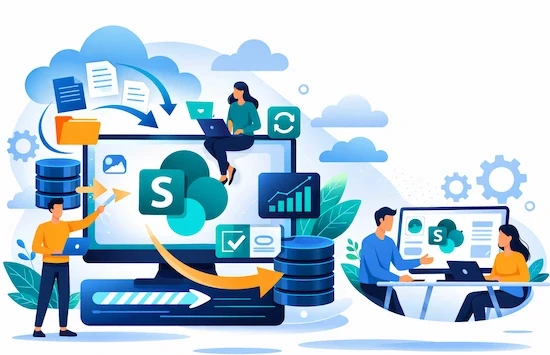
Quick answer: A successful SharePoint intranet is planned around employee tasks, not departments. Start with the top questions people ask, design a simple hub-and-site structure in Microsoft 365, add news, people search, document libraries and Power Automate workflows, set clear governance for ownership and permissions, and launch with training and champions. A focused intranet typically takes eight to sixteen weeks depending on size and integrations.
Key takeaways
Design around tasks people perform every week.
Use SharePoint hub sites to connect departments without duplicating content.
Governance and ownership matter as much as design.
Adoption needs launch communication, training and champions.
What should a modern intranet include?
Home page: company news, announcements, quick links and events.
Department hubs: HR, IT, Finance, Operations, each with owned content.
Policies and documents: version-controlled libraries with clear metadata.
People directory: profiles, org chart and expertise search.
Workflows: leave requests, approvals and forms using Power Automate.
Teams integration: intranet content surfaced inside Microsoft Teams.
How do you structure SharePoint?
Use a home site connected to hub sites for major areas, with team or communication sites below. Keep navigation shallow, use consistent page templates, and apply metadata so search works well.
What about governance?
Assign an owner for every site and key page.
Define who can create sites and publish news.
Set permission rules and review them regularly.
Archive outdated content on a schedule.
How do you drive adoption?
Launch with leadership messages and clear reasons to use the intranet.
Train department content owners.
Recruit champions in each team.
Measure usage and improve the most visited pages first.
Can AI help a SharePoint intranet?
Yes. AI assistants grounded in your SharePoint content can answer policy and process questions, with permissions respected. This works best when content is well structured and up to date.
Should you outsource SharePoint development?
Many organisations outsource the build to specialists and keep ownership and governance in-house. Offshore partners in India can deliver strong SharePoint and Microsoft 365 work at lower cost with good overlap for UK, European and Gulf teams.
How Fameweb builds intranets
We built a SharePoint intranet portal for a national bank, covering information architecture, design and development. See the Bank of Baroda case study, SharePoint development and our UK and UAE pages.
Frequently asked questions
How long does a SharePoint intranet take?
A focused intranet usually takes eight to sixteen weeks, depending on size, content migration and integrations.
Do we need custom development?
Many needs are met with configuration and modern web parts; custom SPFx components help for unique features.
Can SharePoint integrate with Teams?
Yes. Intranet news and pages can appear directly in Microsoft Teams.


